A timer in the menu bar
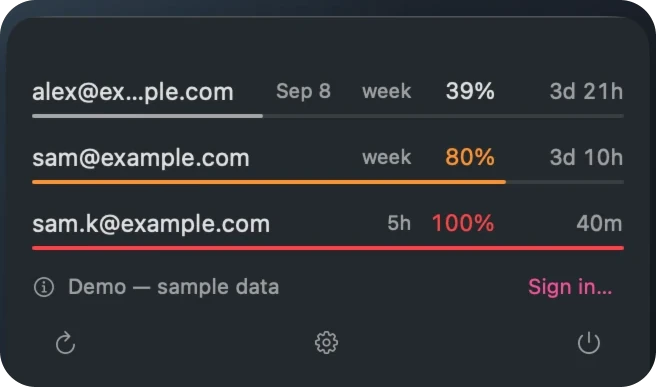
The icon carries the window closest to exhaustion, and how long until it frees up — so the answer is there without clicking.
You bought a second Claude plan so you would not have to stop working. Then finding out whether it has room meant signing into it — which is the one thing you were trying to avoid.
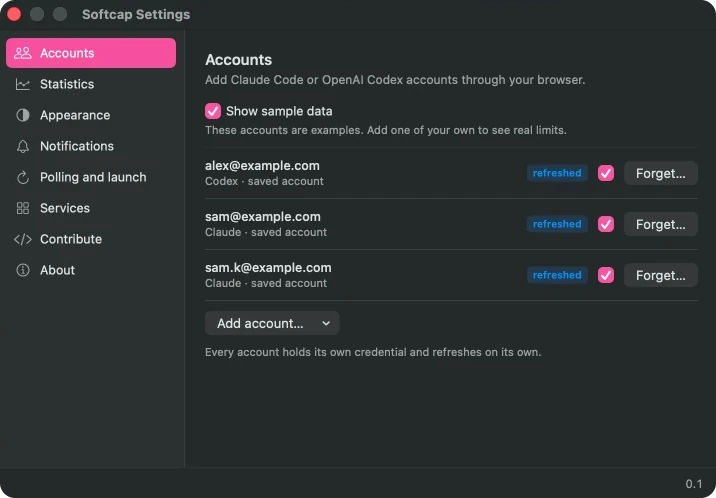
Softcap sits in the menu bar and shows all of them at once: what is spent, what resets when, and which account you should open next.
With one plan it answers a smaller question just as well — how much of this week is left, without opening a terminal to find out.
macOS · menu bar, widget, and an iPhone app · in development
Why it exists
Codex reports how much of your rate limit is left only in the headers of a successful request. Ask it every five minutes and you burn the very allowance you were checking on.
So Softcap does not ask. The Codex CLI already writes its rate-limit readings into
~/.codex/sessions every time it runs; Softcap watches those files and updates the
moment one changes. Claude publishes a usage endpoint that costs nothing to call, so that one
is read live. Two services, two honest answers, no invented traffic.
A reading from a file is a snapshot, not the present tense — so the window says how old it is rather than pretending otherwise.
Several plans
Your keychain holds a token only for the plan you are currently signed into. Refreshing it can rotate the refresh token on the server — and then Claude Code, holding the old one, is logged out. A monitor that logs you out of the thing it monitors is worse than no monitor.
So the active account is read-only here: Softcap re-reads the token the CLI
keeps fresh and never refreshes it itself. While an account is active it quietly keeps a copy
of the refresh token, and when you move on with /login, that copy is what keeps
the previous plan visible. Sign into each of them once, the ordinary way, and from then on
they are all on screen together.
Over time
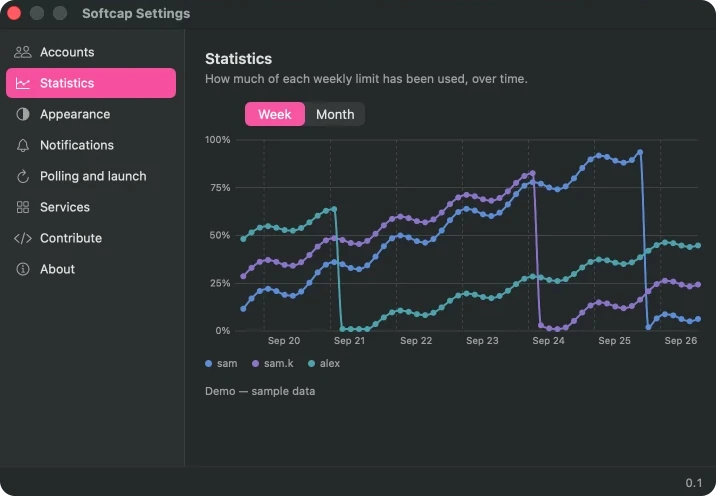
One chart, one line per account. Colour means which account here, and how loaded everywhere else — the two scales never borrow from each other, so a cool line at 90% cannot read as calmer than a warm one at 20%.
The teal line breaks in the middle because nothing was measured there. Drawing straight across a gap would claim a reading nobody took, so the line stops and starts again.
The rest of it
The icon carries the window closest to exhaustion, and how long until it frees up — so the answer is there without clicking.
All four sizes on the macOS desktop; on iPhone the home screen and the lock screen too. The same account row the window uses, so they cannot drift apart.
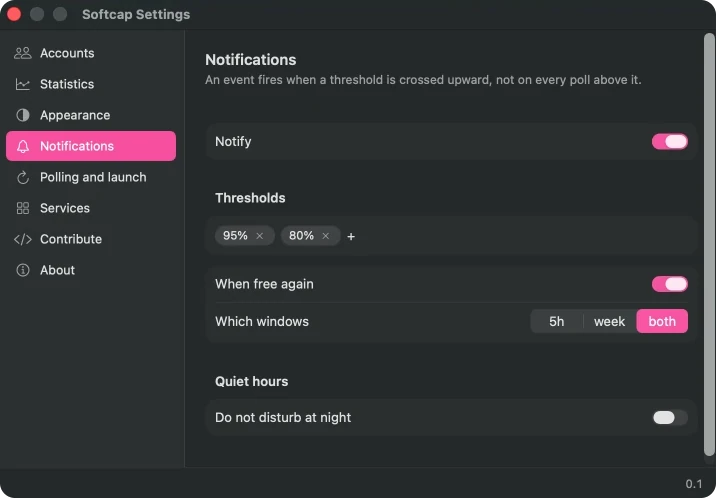
A notification at 80% and 95%, once per crossing rather than once per poll — and one when an exhausted account comes back.
Nothing arrives while you sleep, and nothing is delivered late in the morning to make up for it.
Including Arabic, laid out right to left. Switching takes effect at once — no restart, because a monitor you have to relaunch is not a monitor.
Credentials live in the keychain and are never written to preferences, logs, or anywhere over the network. Nothing leaves your Mac except the calls to the services themselves.
Under it
/login in Claude Code —
Softcap picks it up either way.